Finding the fixture lists:
Click on the “Fixtures & Competitions” heading at the top of the page. This will take you to the Fixtures page – click to see each fixture list.
Alternatively, hovering over the Fixtures & Competitions heading on the home page will show the fixtures menu – just click on the fixture list you need.
Registering:
Match registration is processed via Spond. You can either search for their app in your usual app supplier (Apple store, Google Play Store etc) or visit their website HERE and follow the instructions to download the app.
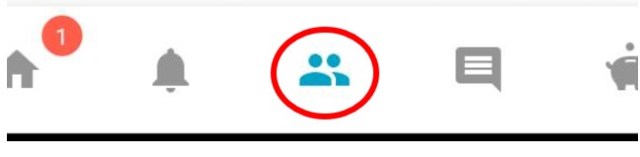
When you have downloaded the app and registered for an account, you will then need to join the Lyndhurst Bowling Club group. To do this click on the Groups icon at the bottom of the screen:
and then click on Enter Code:
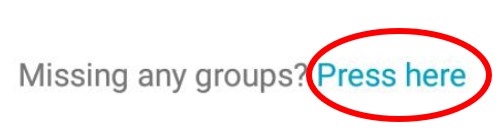
You will then be prompted to enter the group code. For Lyndhurst Bowling Club this is HAZQX:
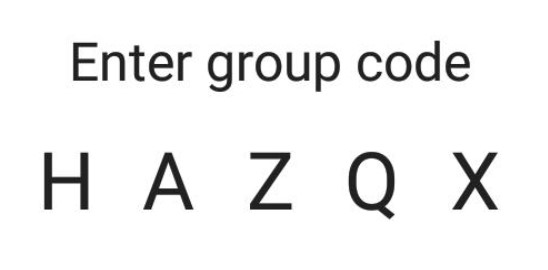
Enter and send this code, and you shortly receive notification that you have been accepted into the group.
Match Availability:
Matches will be released on the app in monthly blocks. You will receive an invitation for each match – simply click one each match and select Available or Unavailable. If your availability changes you can select the other option on the app but please keep this to a minimum to avoid extra work for team captains,
One the team captain has selected the team, those selected will be notified via the app. The selected team can then be viewed via the app, or by clicking on each fixture on this website.
 LYNDHURST BOWLING CLUB